Most teams do not start their workday in one location. They start it in many browser tabs, and each tab shows notification dots. You read a message in one application. You read a task card in a second application. You check time logs in a third application. You find the latest project brief in a different file-sharing system.
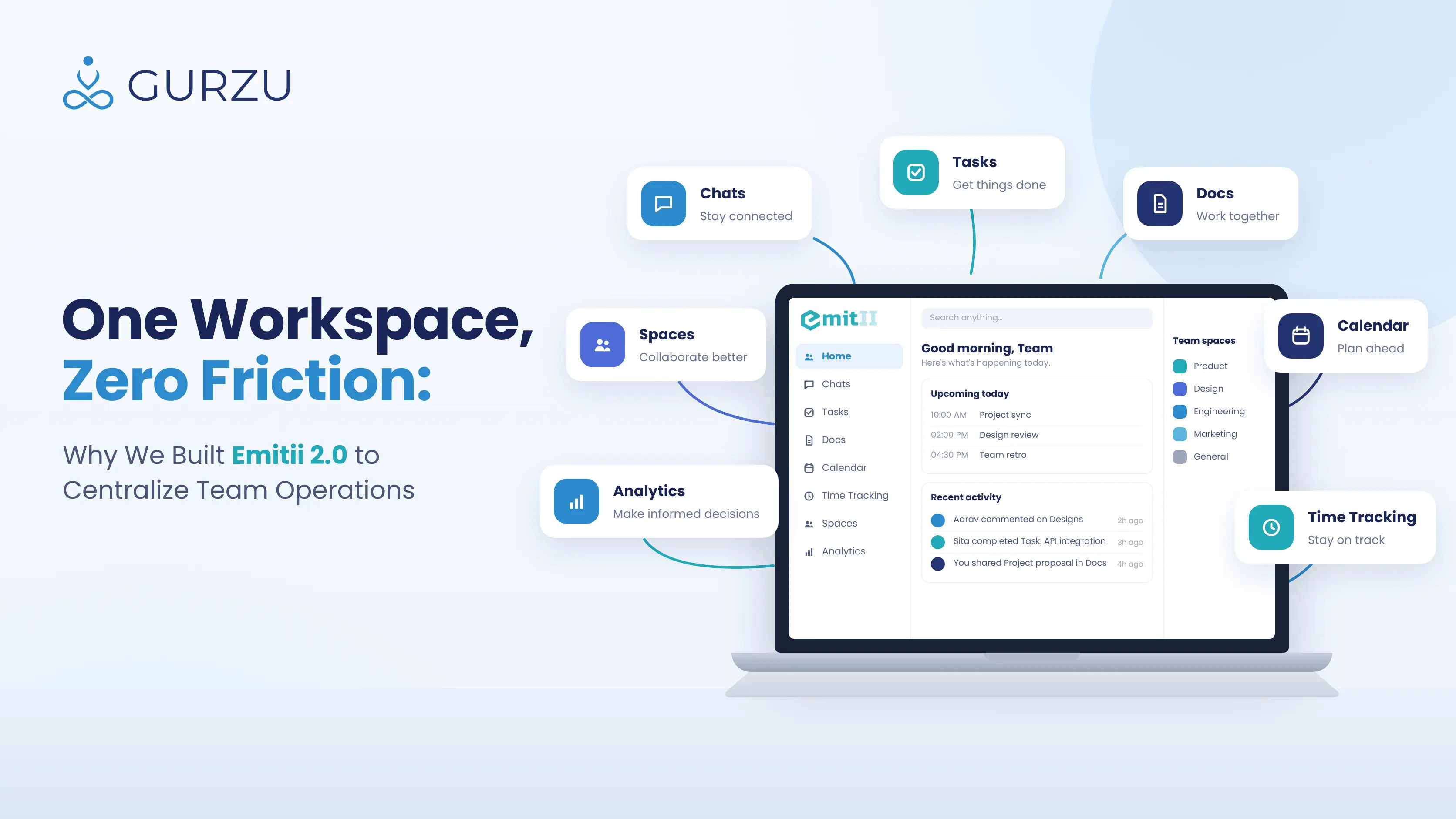
Teams lose time when they move between chat, task, document, and time-tracking tools. When these daily activities are not connected, teams lose important project information. Team leads cannot see the daily progress. Files become disconnected from the team conversations that give them context. Also, companies must pay large amounts of money for many international software subscriptions.
Gurzu Inc is a digital product agency and software development company in Nepal. Our teams had these operational problems too. Our workflows require good coordination between developers, designers, product managers, and clients. We had problems when we worked across separate applications.
We did not want to move between applications frequently. Also, we did not want many tabs to fill our limited screen area.
For these reasons, we made Emitii. Emitii 2.0 is an all-in-one work management platform. It puts your people, your projects, and your daily tools together in one location.
The Structure of a Connected Workspace
Emitii 2.0 uses a simple idea: your collaboration tools must be adjacent to the work. Emitii 2.0 puts your business into connected “Spaces.” A Space is an area of activity. For example, you can make a client Space, a product Space, or a department Space. Use a Space in each location where you must put tools and conversations together to do the work.
Each Space has all the tools that are necessary to do the work:
- Integrated Team Communication: Connected team communication keeps your project conversations in one place, right next to the work.
- Visual Project Boards: Use the project boards to move tasks through your operational lifecycle. The boards show clearly which person must do which task.
- Centralized Document Storage: Each Space keeps all of your files. The files are organized, and you can search them. Use this storage for project briefs or groups of assets.
- Native Time Tracking: You can record the time that you use on a specified project, or each day. The integrated timesheets keep accurate data. Use this data to invoice clients or to understand your operations.
When these tools are together, the team members communicate better. The tools also operate together in a different way. For example, a developer updates the project board. The team can then discuss the notification immediately in the adjacent chat thread. Also, a marketing strategist updates the campaign document. The designer can then use that document immediately to make the related creative assets. The work and the related conversations stay together.
From Brief to Invoice: One Day with Emitii 2.0
The example that follows shows a typical campaign workflow. A Project Manager (PM) does this work in Emitii 2.0.
- Isolate the project (make the Space): The PM clicks the ”+” icon. The PM sets up a secure area (a Space) with the name “Festive Campaign.” The PM invites specified creative team members and the internal coordinator of the client to the Space. Other persons in the company cannot see the Space or its files. Thus, all project files stay confidential.
- Set the responsibilities (assign tasks): The PM opens the Project Board tab in the Space. The PM sets up the pipelines (To Do, In Progress, Client Review). Then the PM assigns each card (for example, “Draft Facebook Ad Copy”) to the applicable team member with a deadline.
- Keep the resources in one location (share documents): The PM does not send links in a chat outside the Space, because a link can stop working before a team member opens it. Instead, the PM uploads the brand guidelines and vector assets directly to the Document Storage tab of the Space. The creative team can then take all the necessary materials from this tab. Thus, team members do not have to ask the PM for these materials separately.
- Keep the context (coordinate through chat): The designer completes her task. Then she uploads her file directly to the card. She sends a message to the client in the Space Chat and asks for a review. The client writes comments on the uploaded file. These comments stay attached to the project item permanently.
- Record the revenue (track project hours): The team starts the live ads and improves their performance. During this work, the team opens the Timesheet module in the Space. The team records the time for each task card. Each week, the PM can make a full time report for the Space. This report helps to make sure that the invoices are accurate.
Flexibility, Not Rigidity: Work in Your Own Way
Many teams do not accept a new work management platform because of the initial cost. Frequently, a team must change its full system to agree with the method of the software vendor. Some platforms require many weeks of hard work before a team can send its first message or record its first billable hour.
Emitii 2.0 uses a very different method. This method is flexible. We think that your software must adapt to your current method. Your method must not adapt to the software. In Emitii 2.0, teams can adjust their workspaces to the tools that are necessary for their most urgent tasks now. You do not have to turn on all functions at the same time.
- For example, a software team can use Emitii only for project boards and time tracking. This helps the team to organize its current delivery sprint.
- A marketing team can make its workspace with group chat and shared documents. The team can then use this workspace to plan a product launch.
Later, teams can turn on more tools when it is necessary. For example, they can use Spaces to work across roles or apps. They can also use the mobile app to use all of their tools when they are away from the office. Thus, teams can add tools when their requirements change. They keep the core tools that they used at the start.
Who Can Benefit from Emitii 2.0?
We made Emitii 2.0 for companies that manage complex operations with many parts. Your company can be a small business that grows and must organize its operations. Or, your company can work with many clients and external stakeholders each day. In the two conditions, the structure of our solution helps you.
- Agencies and consultancies: These companies can keep the operations of each client in a separate Space. Each Space has its own project management board, asset documents, and timesheets. You can customize each Space fully.
- Startup founders and teams that grow: These teams frequently use all of their free plan options. They can replace four software solutions (communication, task management, spreadsheet, and tracking) with one solution.
- Team leads and department managers: These persons can see all of their operations. They do not have to use many disorganized Excel sheets. Also, they do not lose hours in daily meetings when they search for necessary information.
- Enterprise organizations: These organizations can put the operations of many departments into one secure platform. Each department can still focus on its own operations.
See Emitii 2.0 in Action
Want to see how Emitii 2.0 brings team communication, project management, documents, and time tracking together in one workspace? Explore the demo on Emitii to get a closer look at the platform and how it can help simplify your team’s daily operations.
Try Emitii 2.0 Free for Three Months
We invite you to see a large change in your team. Find how your daily operations change when you remove the problems of many software layers. We offer an improved launch condition. This offer helps you to try our product and see how it makes your operations more efficient.
All new organizations that register for Emitii 2.0 can use a three-month trial of our workspace software. The trial includes all core features: an unlimited number of Spaces, project boards, calendar views, timesheets, and team collaboration tools.
After the trial, companies can upgrade to our Startup subscription plan to grow more. This plan is especially for small organizations and teams of all sizes. Large corporations can have special requirements, more storage, or a more complex software architecture. For these corporations, we supply custom solutions in the Enterprise plan. The Enterprise plan also has custom billing rates that agree with the requirements of the client.
Do not lose more time and team productivity on many software tools and disconnected communication. Use Emitii 2.0 to put your workspace in one location, organize your projects, and communicate effectively with your team.
Ready to transform how your team works with Emitii 2.0? Hurry up and start your 3-month free trial today .
Frequently Asked Questions
How does Emitii 2.0 organize the data for the different areas of activity in a company?
Emitii 2.0 uses a new organization system: Spaces. You can make independent, separate areas (for example, a Sales Space or a Design Space). Each area holds its own projects, chats, tasks, schedules, and documents. Thus, all necessary information is in one location, but each area stays isolated from the other areas.
Can the team use the data from any location, also when they are not in the office?
Yes. You can also use Emitii 2.0 on mobile phones. The team can read and update the chat, the tasks, and the project status at any time and from any location. They can also check the documents and schedules.
Can we change to this system and not interrupt our daily operations?
Yes. We designed Emitii 2.0 so that you can use the tool in a non-linear sequence. You do not have to use all functions at the same time. A team can start with only chat and task assignment. Then, the team can turn on other functions (for example, documents and time tracking) when the workflow requires them.